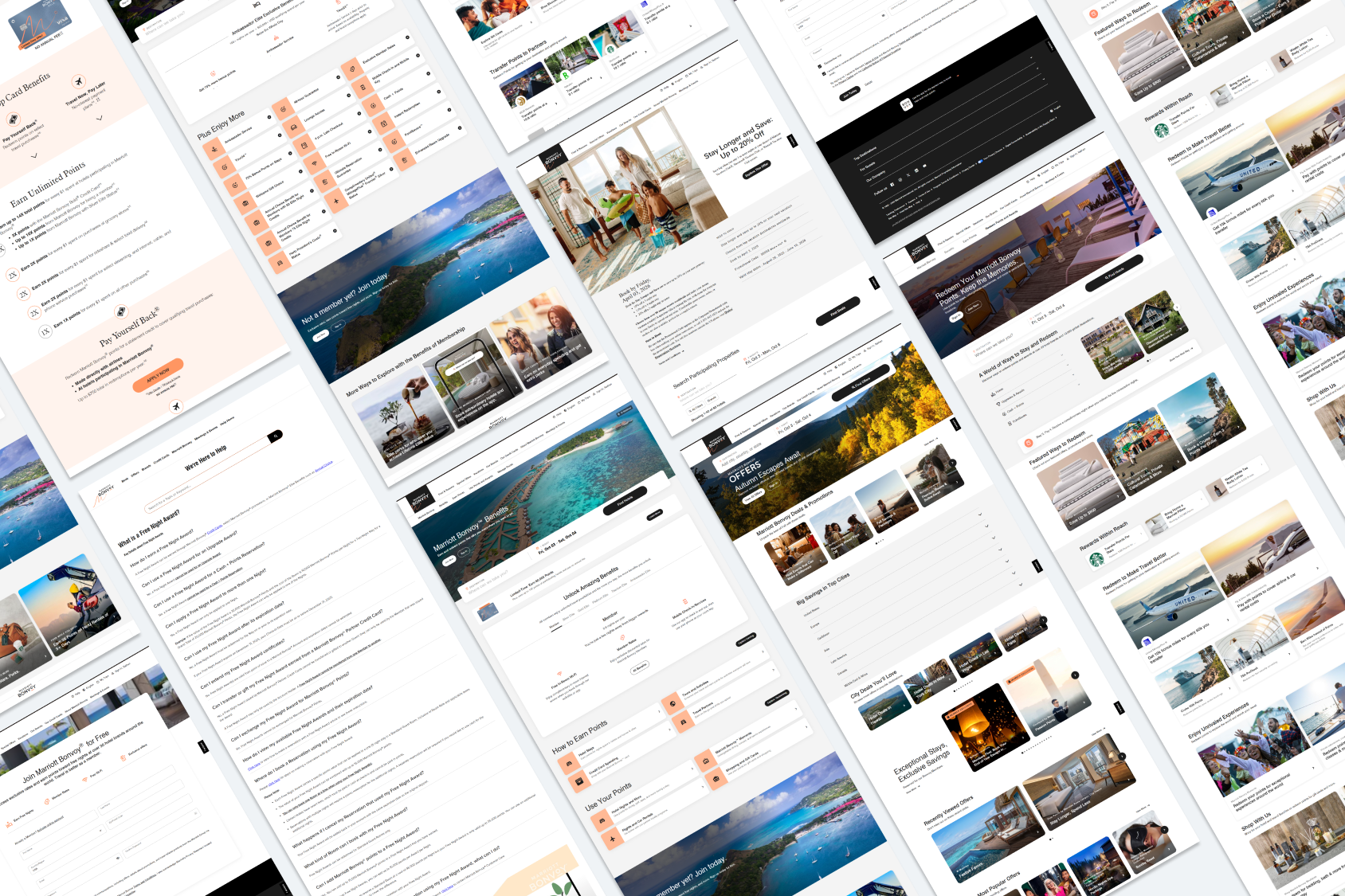
Savings & Revenue through Information Architecture
Audited loyalty touchpoints that hadn’t been updated to identify opportunities for improvement.
Role: UX lead, uncover high-ROI UX opportunities through optimized product experiences.
HYPOTHESIS
Legacy user interfaces and core workflows contain friction points that represented high-leverage opportunities for operational savings and improved member satisfaction.
GOALS
Discover outdated user interfaces with workflow friction that offered high ROI
Establish KPIs for proposed changes to secure development resources
CHALLENGES
Potential risks exist with even the smallest design changes
Technical constraints prohibit the implementation certain enhancements
Cost-effectiveness was difficult to achieve
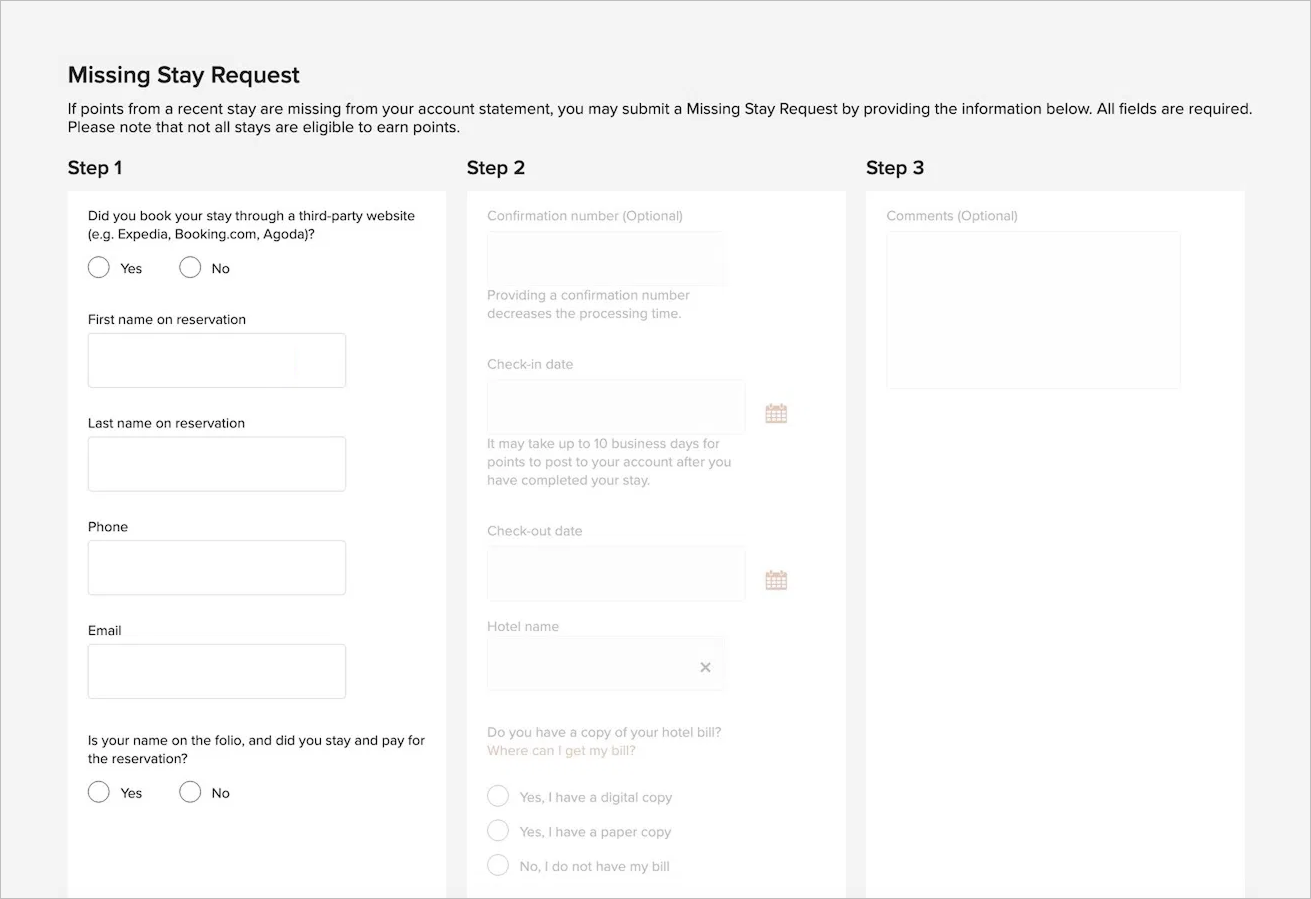
Some legacy designs hadn’t been updated for nearly a decade.
DESIGN PROCESS
The most effective process was to talk to people from around the company directly.

Design
Design

Collaborate More

Collaborate
HIGH-VALUE TARGETS
I identified three categories that had the highest ROI and focused on those.

Member registration

Customer service

Promotions
CHANGES
Streamlined workflows by reducing number of clicks
Removed a need for authentication
Reduced points of failure between members and customer care
Educated users on certain tasks and features across multiple channels
Introduced consistent language across channels
CASE STUDY
PROMOTIONS
Promotions are targeted and personalized marketing campaigns where not all members receive the same promotion, if any. One promotion can generate $50M+ in revenue.
LEGACY CONTEXT
The Promotions team requested a page where members could view promotions they’re eligible for, and register for them.
COLLABORATION (PROMOTIONS TEAM)
COMMON FLOW, 90%
Member receives a promotion email and clicks the link
Member authenticates
Member clicks register on the Promotions page
Member is successfully registered
DESIGN
IDEAL FLOW
Member receives a promotion email and clicks register
Member is taken directly to the success / fail page
COLLABORATION (DEVELOPERS)
AUTHENTICATION
Tells the system who is registering
Not used to determined registration eligibility
Not used to register the member
Not used for security purposes
COLLABORATION (LEGAL)
TERMS & CONDITIONS
Terms & Conditions should be available to the member prior to registration
Agreement to the Terms & Conditions is implied; no checkbox is required
DESIGN
SOLUTION
Attach account name to email link instead of authenticating
Bypass the promotions page and take users directly to success / fail page
Add Terms & Conditions inside email
RESULT
Single-click, no authentication registration
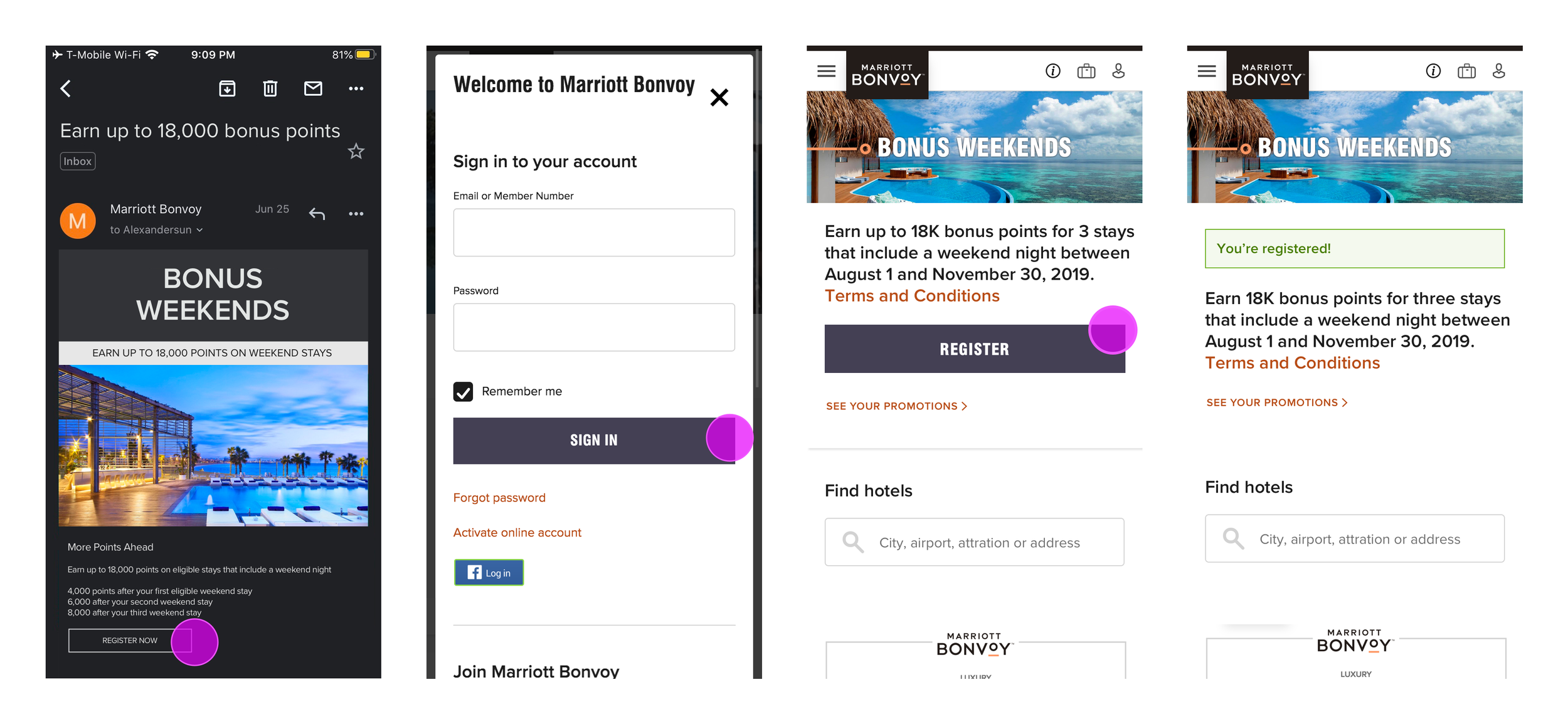
The original promotion registration flow required authentication and three clicks.
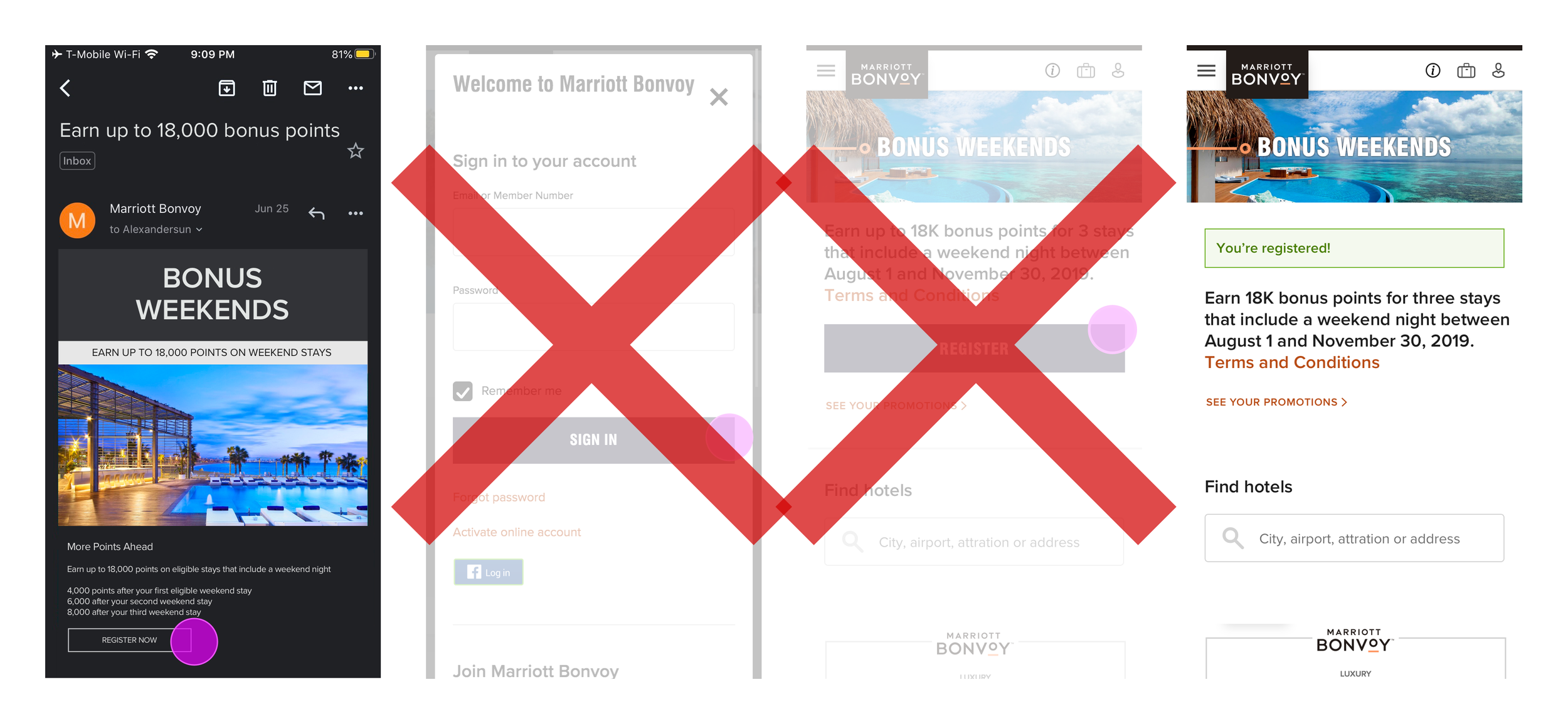
Collaboration with the promotions, development, and legal teams eliminated the need for authentication and simplified registration to a single click.
IMPACT
$125,000+
Annual cost-savings
+10%
Promotion registrations
-2 weeks
Customer support ticket resolution time
+3%
Member registrations
Previous: Marriott-Starwood Merger
NEXT: Data-Driven Design